

Your Details
This feature allows you to gather guest details for marketing purposes, enables guests to confirm their information, and provides other useful data for their stay.
Step 1 - Create a new verification rule
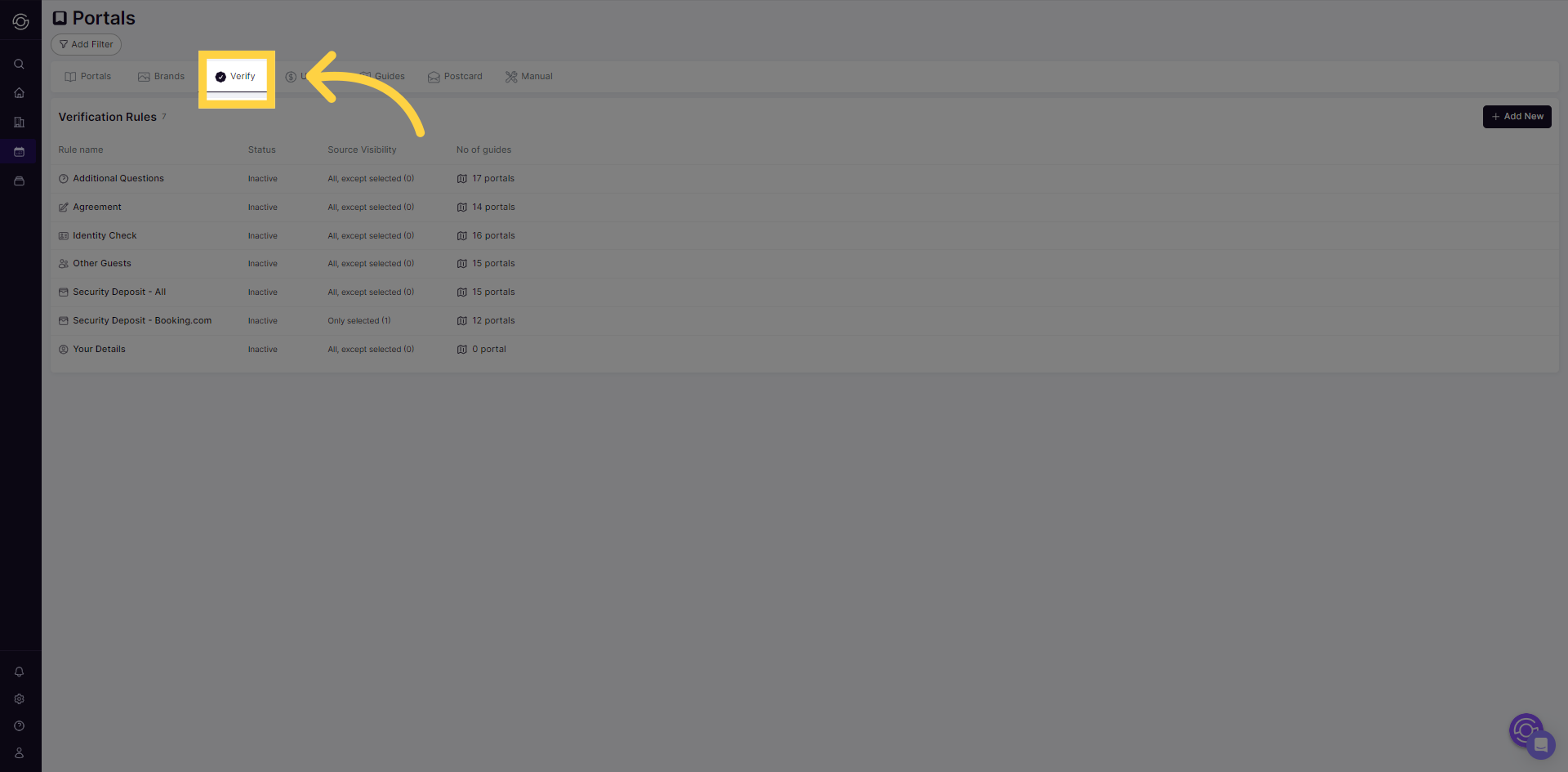
Section titled “Step 1 - Create a new verification rule”- Navigate to the SuiteOp portal configuration page and select the “Verify” tab.
Click “New*” and choose “Your Details” from the dropdown options.
- “Your Details” will be added to your Verification Rule List.
Step 2 - Configure the verification rule
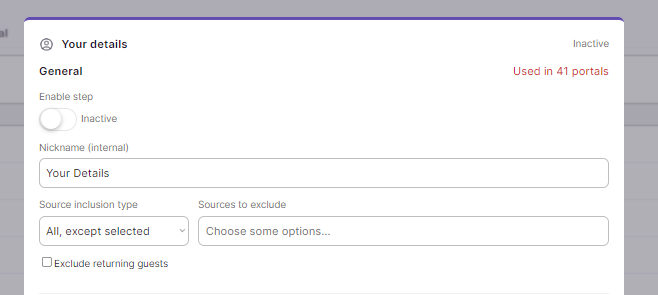
Section titled “Step 2 - Configure the verification rule”- Provide a nickname for the “Your Details” rule. This nickname will only be visible to your team in SuiteOp and will help you manage different verification rules efficiently if you create multiple rules in the future.
-
Choose the booking sources to include or exclude for this verification rule. This allows you to create distinct rental rules for different sources. For example, you can set up separate rules for direct bookers compared to specific OTA bookers.
-
You can also choose whether to exclude returning guests from having to complete this rule.
Step 3 - Email Consent and request ETA/ETD
Section titled “Step 3 - Email Consent and request ETA/ETD”-
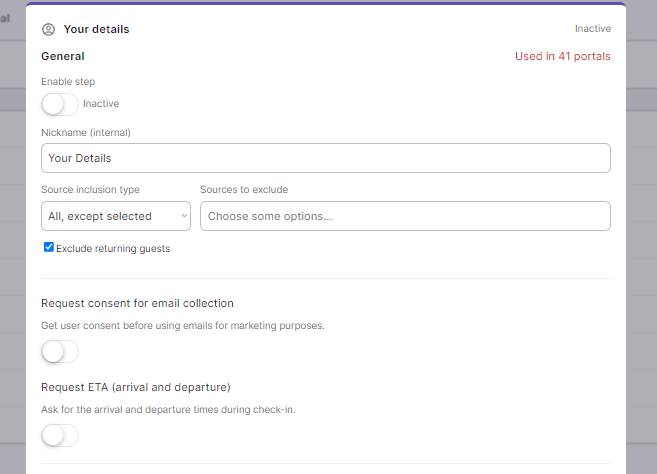
Switch on the button to activate email consent. This action will incorporate a checkbox into the guest portal, allowing guests to provide consent for marketing purposes. This step is crucial for complying with the European GDPR, which mandates obtaining consent before sending marketing materials.
-
Enable the button for “Request ETA” for arrival and departure. This will enable you to capture arrival and departure details from guests.
Step 4 - Assign and activate the verification rule
Section titled “Step 4 - Assign and activate the verification rule”Assign the verification rule to one or multiple portals. Head back to the top of the page, and change its status to ACTIVE to display it on the portal
⚠️ Once you activate the verification rule, it will become visible to all guests who meet the criteria you have configured.
What your guest sees
Section titled “What your guest sees”When the rule is active, the guest is asked to confirm their first name, last name, email, and phone number (plus arrival and departure times if you enabled Request ETA/ETD) in the Your Details step of their portal check-in.
SuiteOp validates these details as the guest types:
- The email must be a valid email address, and the phone number is checked and saved in standardized international format — so the contact you collect is clean and reachable for messaging, marketing, and SMS notifications.
- For OTA bookings (Airbnb, Booking.com, Vrbo, Expedia, and similar), the platform’s anonymized relay email is not pre-filled. The guest enters their real email instead, so the address you collect reaches them directly rather than bouncing through the OTA inbox.
The details the guest confirms here are saved back to their verification record, so any correction they make sticks for the rest of their stay.